Limited-Time 30% OFF!Get Offer
FLUX 3 video is live — true-to-life clips, free to start

FLUX 3 True-to-life short video from text or a photo

Text to video and image to video in the free FLUX 3 AI video generator. Start with signup credits — no card required.

FLUX 3 is the video model people search for when the clip has to feel real: natural motion, clear subjects, and styles that fit posts, product demos, and story beats. Write a scene or upload a still, pick resolution, and generate on flux3.video. Save winners to your library and iterate without leaving the page.

  • Text to video from a plain scene brief
  • Image to video from a photo you already like
  • True-to-life motion — faces, products, and light that hold up
  • 720p, 1080p, or 4K before you run
  • Free start with signup credits — no card required
  • Need a still first? Open FLUX 3 Image on /image
FLUX 3 product hero — left soft type, right silver racing yacht on open water
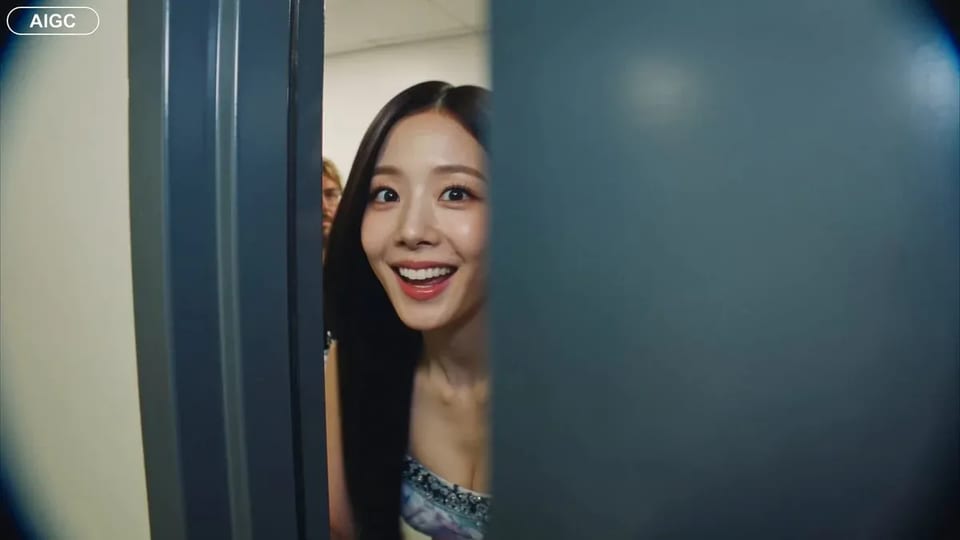
Handheld backstage idol vlog sample

CAMERA: Handheld DV 16mm camcorder aesthetic, first-person/selfie POV. CHASE always holds the camera. Natural hand shake, imperfect framing, delayed autofocus, clumsy zooms, occasional face cropping. The camcorder is never visible. LOOK: Soft vintage DV tape quality with slight blur, subtle tape noise, mild highlight bloom, flickering auto-exposure, muted contrast, natural skin tones. STYLE: Bright, playful K-pop idol vlog. Genuine smiles, eye contact, candid energy, quick handheld shots with backstage excitement. CHARACTER: CHASE, Korean female idol in her 20s. Long straight black hair, dewy skin, elegant Korean features, coral lips, large eyes, slim curvy figure. Wearing a stylish stage outfit with subtle glam makeup and sparkly earrings. SETTING: Backstage hallway of a music show studio with dressing room doors, CHASE's name tag on one door, snack table, overhead PA speaker, and blurred staff passing by. SEQUENCE: 1. Selfie: peeks into the hallway. "Hey guys, we're backstage!" 2. Whip pan down the corridor. "This hallway is so long!" 3. Stops at her dressing room, points at her name tag. "That's me!" 4. Close-up of the name tag as she taps it. Ambient audio only. 5. Quick outfit check with a spin near a mirror. "How do I look?" 6. At the snack table, grabs a snack. "Don't mind if I do." 7. Mid-bite, PA announcement interrupts. She laughs: "Wait—" 8. Selfie ending: hears the countdown, waves, makes a hand heart, then runs toward the stage. "That's my cue—see you after the stage!"

CAMERA: Handheld DV 16mm camcorder aesthetic, first-person/selfie POV. CHASE always holds the camera. Natural hand shake, imperfect framing, delayed autofocus, clumsy zooms, occasional face cropping. The camcorder is never visible. LOOK: Soft vintage DV tape quality with slight blur, subtle tape noise, mild highlight bloom, flickering auto-exposure, muted contrast, natural skin tones. STYLE: Bright, playful K-pop idol vlog. Genuine smiles, eye contact, candid energy, quick handheld shots with backstage excitement. CHARACTER: CHASE, Korean female idol in her 20s. Long straight black hair, dewy skin, elegant Korean features, coral lips, large eyes, slim curvy figure. Wearing a stylish stage outfit with subtle glam makeup and sparkly earrings. SETTING: Backstage hallway of a music show studio with dressing room doors, CHASE's name tag on one door, snack table, overhead PA speaker, and blurred staff passing by. SEQUENCE: 1. Selfie: peeks into the hallway. "Hey guys, we're backstage!" 2. Whip pan down the corridor. "This hallway is so long!" 3. Stops at her dressing room, points at her name tag. "That's me!" 4. Close-up of the name tag as she taps it. Ambient audio only. 5. Quick outfit check with a spin near a mirror. "How do I look?" 6. At the snack table, grabs a snack. "Don't mind if I do." 7. Mid-bite, PA announcement interrupts. She laughs: "Wait—" 8. Selfie ending: hears the countdown, waves, makes a hand heart, then runs toward the stage. "That's my cue—see you after the stage!"
Why open FLUX 3 for short video

The FLUX 3 AI video generator for clips that feel observed — not plastic.

FLUX 3 is built for short video that has to look ready to post: a product glide, a lifestyle hook, a story beat with clear motion. Text to video starts from words alone. Image to video starts from a still that already carries your look. Free signup credits let you start on flux3.video and judge the result on your own brief.

FLUX 3 strengths

What FLUX 3 is built to do well

Four levers that define a short true-to-life clip on this path.

Text to video from a short scene

Describe who is there, what moves, and how it should feel. FLUX 3 text to video turns that brief into a short clip without a timeline app. Keep the first prompt tight — subject, action, and place beat a multi-scene wishlist.

Cinematic highway keyframe for FLUX 3 text to video

Image to video from a still you trust

Upload a product photo, character still, or poster and add motion. FLUX 3 image to video keeps the look you already approved while the scene moves — ideal for PDP loops, reels, and demos.

Sneaker motion keyframe for FLUX 3 image to video

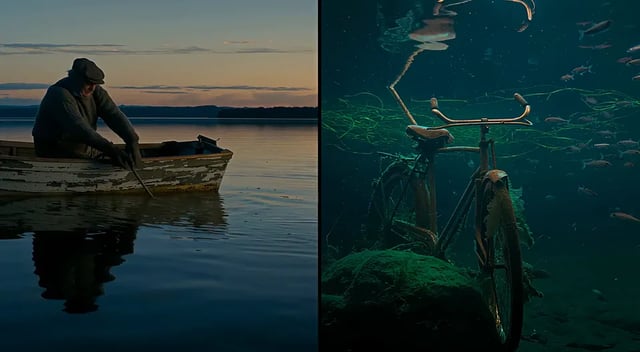
True-to-life motion and multi-style looks

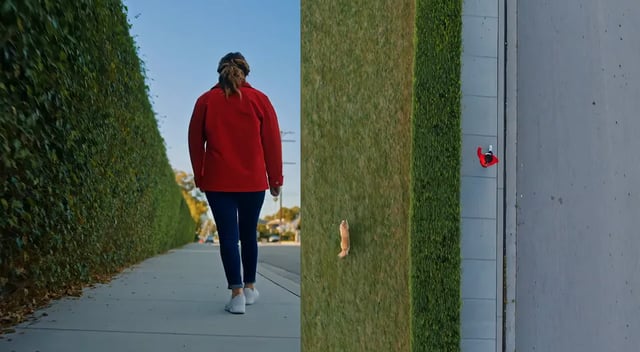
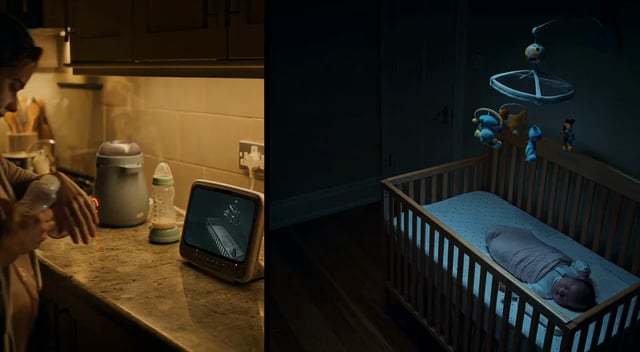
FLUX 3 is known for clips that feel closer to real life across styles — candid, product, and design-led looks without forcing one film filter. That true-to-life quality is the reason people search FLUX 3 for short AI video they can actually post.

Park walk keyframe proving true-to-life FLUX 3 motion

Lock 720p, 1080p, or 4K before you run

Resolution is a first-class choice on FLUX 3. Pick 720p while you explore, then 1080p or 4K when a clip is worth shipping. You set size before generate so finishing a hero take stays predictable.

Sharp city skyline still for FLUX 3 resolution control
How it works

Make a FLUX 3 clip in four steps

From a prompt or photo to a saved short video — free to start.

  1. 1

    Write a scene or upload a photo

    Type a short brief for text to video, or drop a still for image to video. Subject, action, and place are enough to start on FLUX 3.

  2. 2

    Pick aspect and resolution

    Choose how the clip should frame, then set 720p, 1080p, or 4K before you generate.

  3. 3

    Generate the clip

    Run FLUX 3 and wait for the short video. Failed jobs refund credits automatically.

  4. 4

    Save and reuse

    Download or reopen from your library. Iterate the prompt, or jump to /image when you need a new still with FLUX 3 Image first.

Where short video lands

Jobs that fit FLUX 3

Motion-first work — true-to-life clips for posts, products, and stories.

  • Social creators

    Ship a short hook without a full edit suite. FLUX 3 is built for posts that need motion today.

  • E-commerce teams

    Animate a product still into a simple demo loop while packaging stays honest.

  • Marketers and growth

    Spin prompt variants for creative tests, then keep only the clips that convert.

  • Short-form story teams

    Block a beat as a short clip, iterate the prompt, and store experiments in the library.

  • Agencies and freelancers

    Show clients a moving first pass on a call without leaving the browser.

  • Teams with a locked hero photo

    Image to video when art direction is done and only motion is missing.

Video vs stills

FLUX 3 vs FLUX 3 Image

Same FLUX 3 family. Match the file type you need.

This page FLUX 3 Short video Stay on video
Image path FLUX 3 Image Stills & edits Open image
Best first use True-to-life short AI video for posts and demos True-to-life stills, posters, and photo edits
Main inputs Text prompt or start photo Text prompt or reference image
Output Short video at 720p / 1080p / 4K Still image at 1K / 2K / 4K
Free start Signup credits to begin on FLUX 3 video Signup credits for a first FLUX 3 Image still
Where to open /video — FLUX 3 /image — FLUX 3 Image

More video models in the picker

FLUX 3 is the house default — browse siblings when you want a different motion style.

Creators on FLUX 3

What people love about FLUX 3 here

True-to-life short clips from text or photo — free to start on flux3.video.

“Prompt to post the same day.”

I opened FLUX 3, ran two text to video takes, and had a hook that looked real enough to post without a full shoot.

C
Chris D.
Social creator

“Image to video saved the hero photo.”

We already had packaging locked. FLUX 3 image to video added motion for ads without rebuilding art direction.

M
Mina P.
Shopify brand lead

“Client saw motion in one meeting.”

I generated two FLUX 3 clips on a call and we picked a direction before the hour ended.

L
Luis A.
Agency producer

“Free start, clear resolution control.”

I draft on FLUX 3 free with signup credits, then only pay up when a clip is worth shipping at higher resolution.

H
Hannah S.
Indie founder

FLUX 3 — practical answers

Is the FLUX 3 AI video generator free to start?

Yes. New accounts get signup credits so you can start FLUX 3 without a card. Upgrade when you need more volume or higher resolution finishes.

What is special about FLUX 3 video?

FLUX 3 is built for true-to-life short clips across styles — clear subjects, natural motion, and both text to video and image to video in one browser workspace on flux3.video.

Can I run FLUX 3 from text and from a photo?

Yes. Text to video starts from a prompt. Image to video starts from an uploaded still. Both modes share this generator, account, and library.

What resolutions can I pick?

720p, 1080p, and 4K. Choose the tier before you generate so draft runs and final takes stay intentional.

When should I use FLUX 3 Image instead?

When you need a still or a photo edit first. Open /image for FLUX 3 Image, then return here when the job needs motion.

Can I use clips commercially?

Commercial licensing is available on paid plans. Read the legal pages for exact terms before client or ad delivery.

What if a generation fails?

Failed FLUX 3 jobs refund credits automatically. You only keep the spend for clips that complete.

Do I generate on this site?

Yes. Open /video on flux3.video, sign in, and run FLUX 3 in the browser. Your prompts and results stay in one workspace.

Ready for the next true-to-life clip?

Open FLUX 3 free, feed a brief or a photo, lock resolution, and save the result on flux3.video.