Zeitlich begrenzt 30% Rabatt!Angebot sichern
Neu — FLUX 3 Klein, das schnelle FLUX 3 Bildmodell

FLUX 3 Klein Schnelle FLUX 3 Bilder und Fotobearbeitung

Schreib einen Prompt oder lade bis zu 10 Fotos hoch und sag, was sich ändern soll. In unter einer halben Minute hast du ein Bild in 1K, 2K oder 4K.

FLUX 3 Klein ist das kompakte Bildmodell der FLUX 3 Familie von Black Forest Labs – gebaut, um schnell und günstig zu laufen. Es erzeugt Bilder aus Text, ändert ein Detail in einem Foto und lässt den Rest, wie er ist, und fügt mehrere Uploads zu einer Szene zusammen. Erstell das Bild hier und nutze es dann als Startframe für ein Video mit FLUX 3 oder FLUX 3 Max.

  • In unseren Tests unter einer halben Minute pro Bild
  • Bis zu 10 hochgeladene Fotos bearbeiten oder kombinieren
  • Wörter in Anführungszeichen landen auf Postern und Covern
  • Neun Formate von 9:21 bis 21:9, in 1K, 2K oder 4K
  • Das Bild als Startframe für FLUX 3 Video nutzen
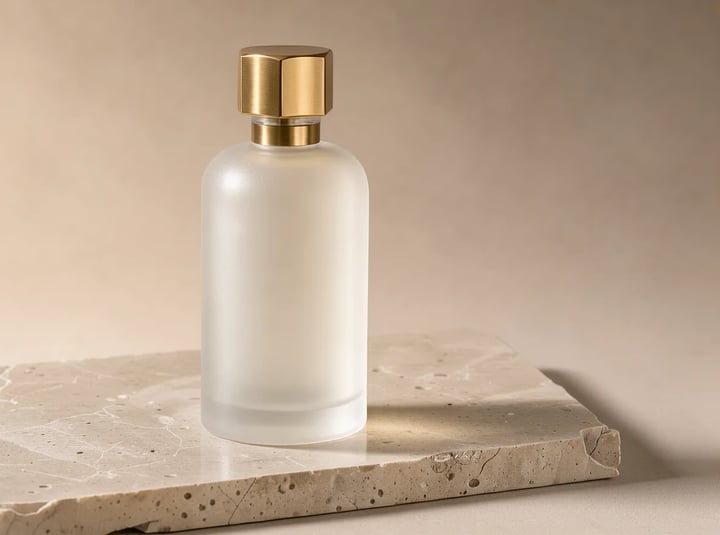
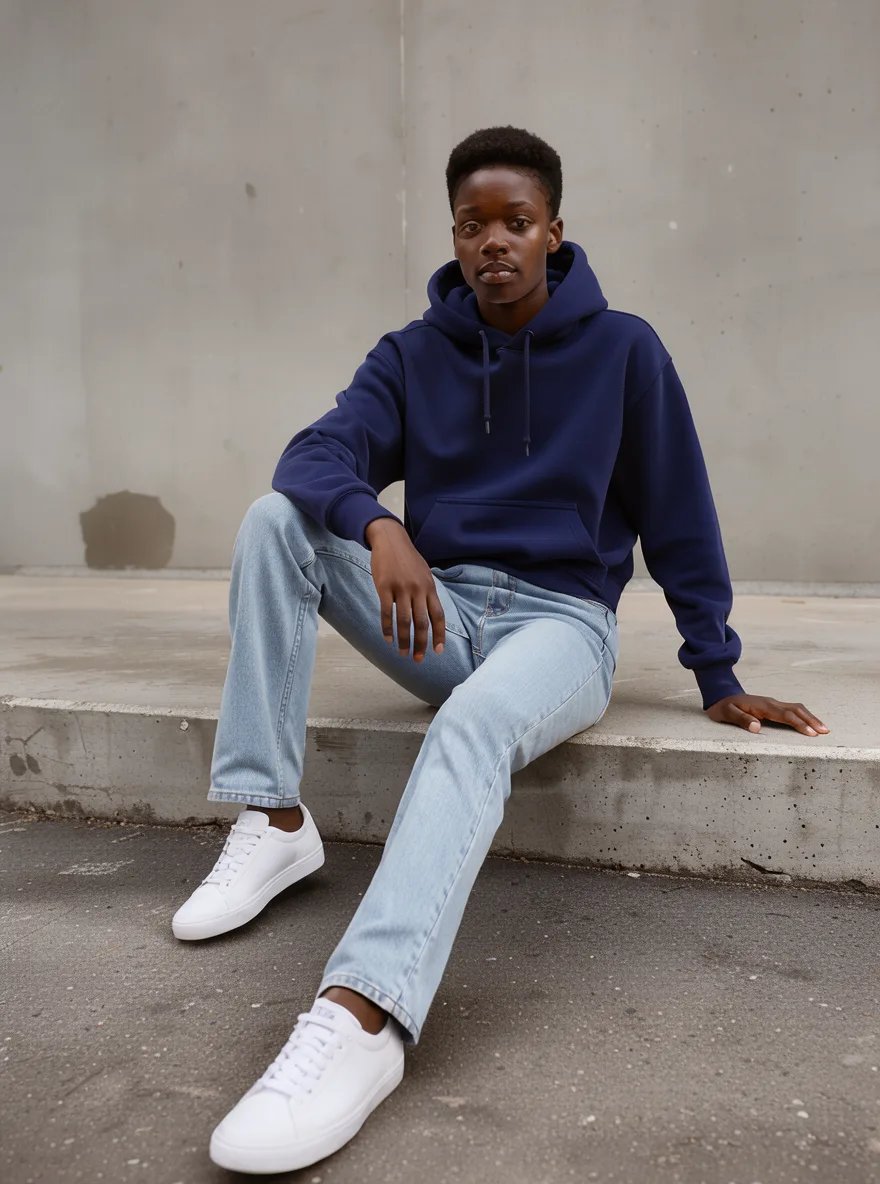
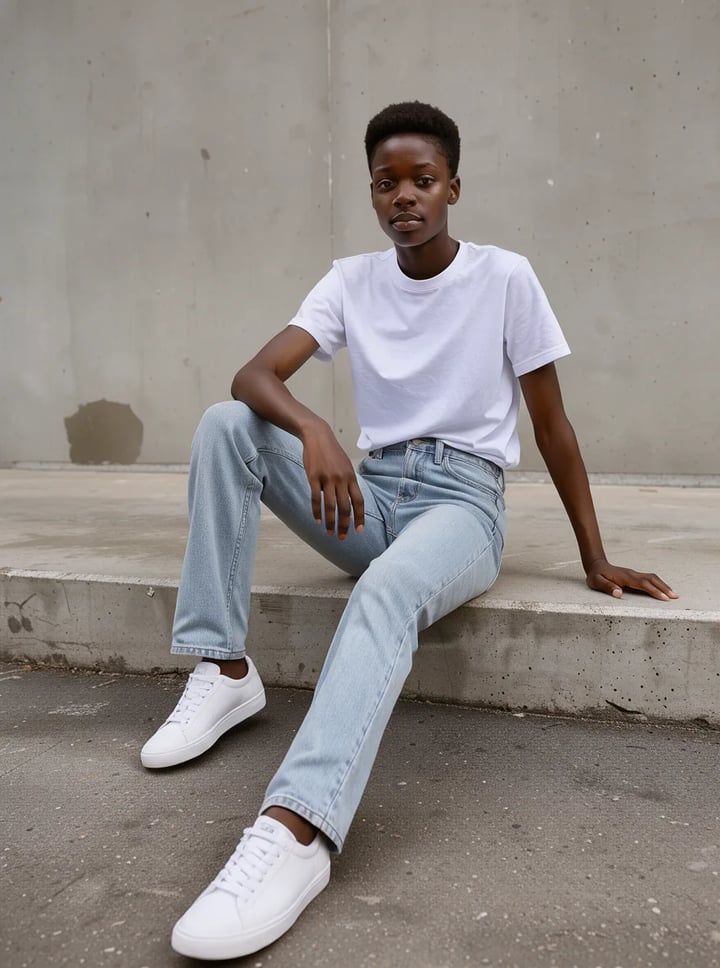
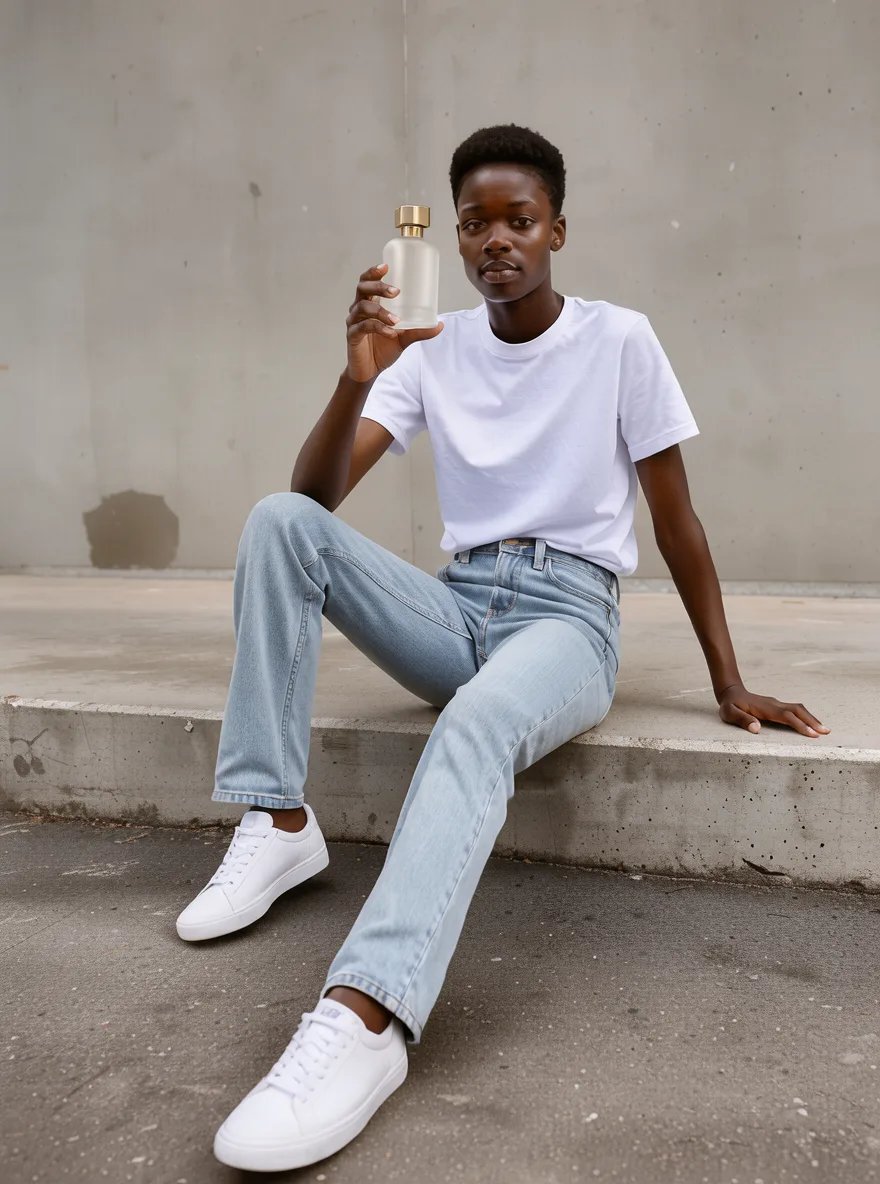
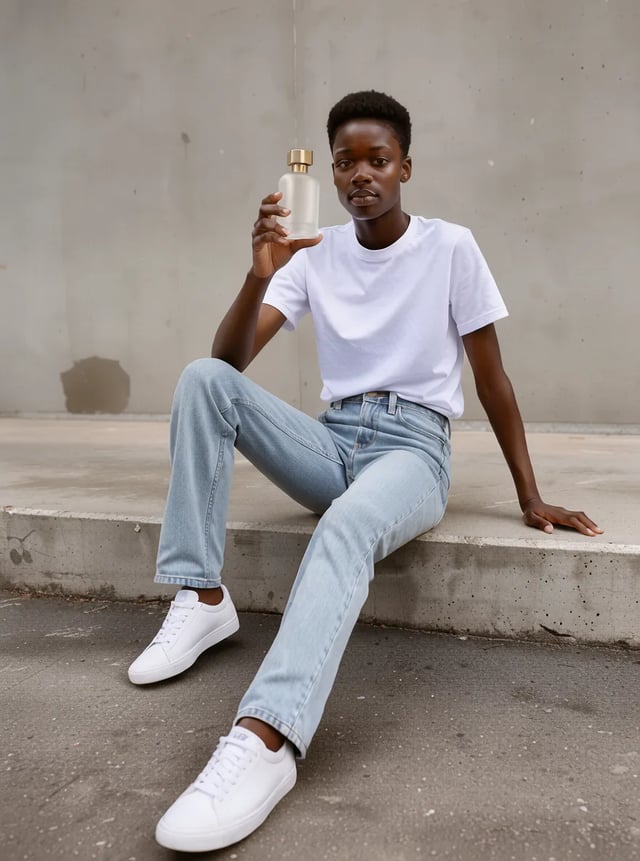
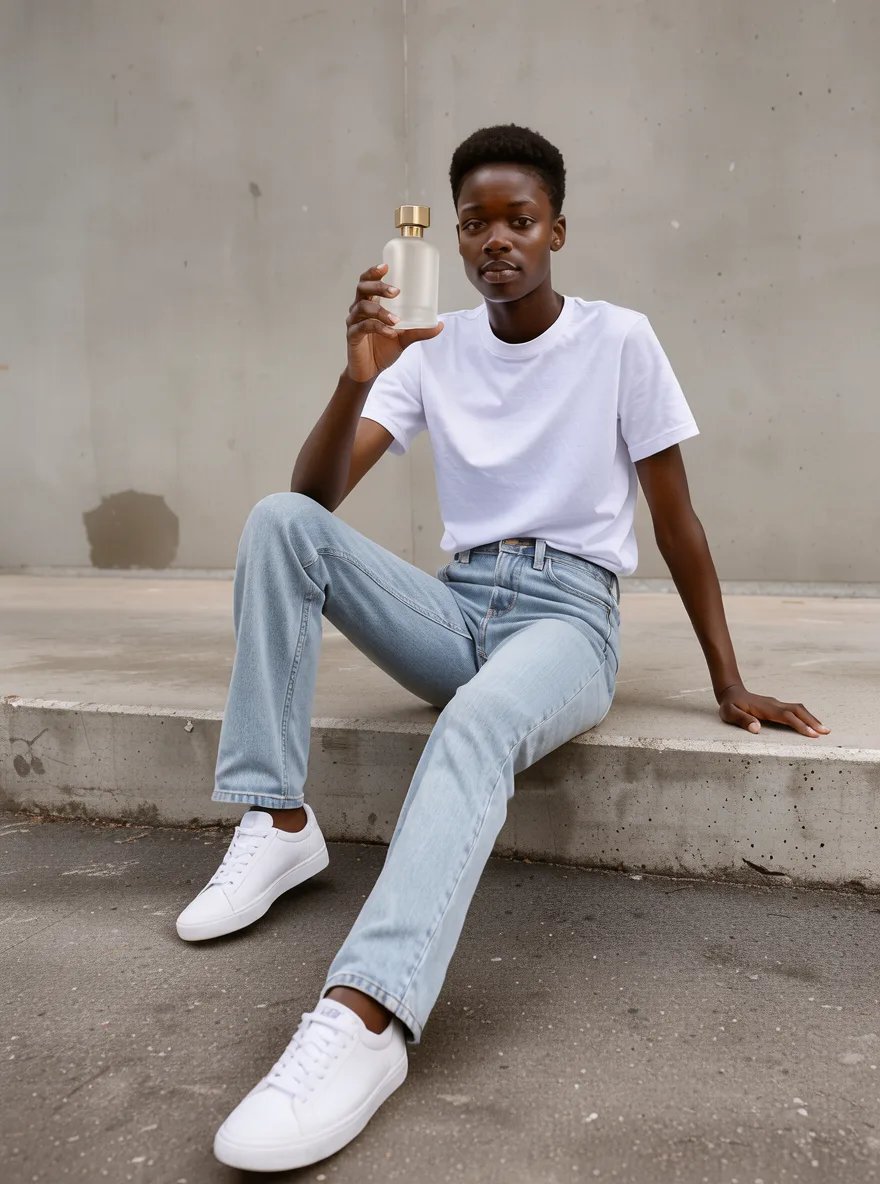
FLUX 3 Klein kombiniert zwei Uploads — ein Model auf einer Betonstufe mit einem mattierten Parfumflakon
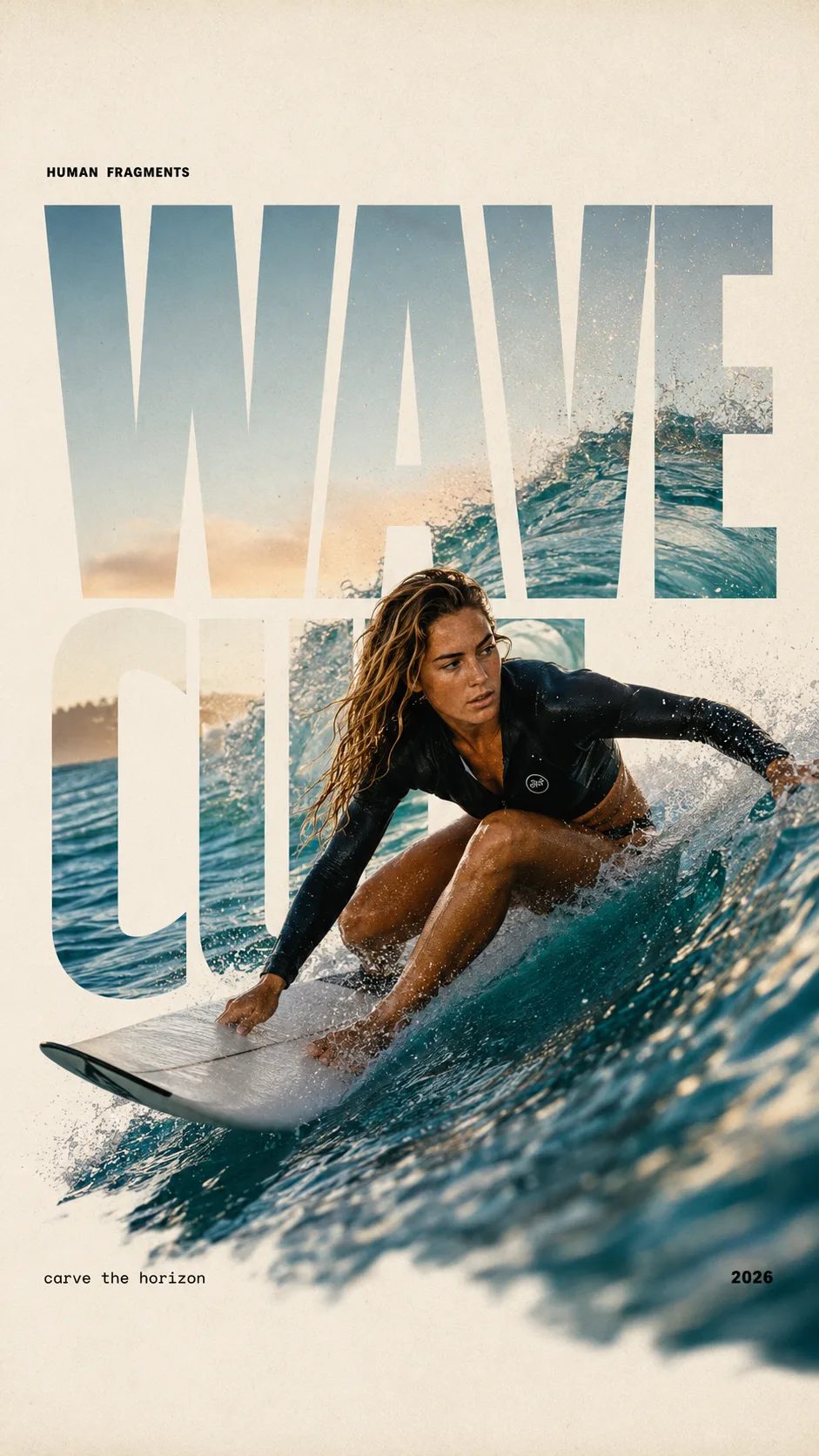
HUMAN FRAGMENTS editorial poster sample

Create a 9:16 editorial poster in the HUMAN FRAGMENTS visual system. Theme: [surfing / basketball / boxing / cake decorating] Subject: [gender, age, appearance, outfit] Action: [specific movement or handcraft] Scene: [location and environment] Title: [custom two-word title] Supporting line: [one short phrase] Year: 2026 Use oversized cropped typography as the main structural framework. The letters should act as windows that reveal the surrounding environment, while the main person remains visually complete in front of the type. Do not let the letters cut through the face, torso, arms, thighs, or other important parts of the body. Let one key action element break beyond the typography to create strong depth: 1. WAVE CUT — a surfer carving across a rising wave, with the board nose, hand, water spray, and curled wave breaking outside the letters. 2. RIM RISE — a basketball player reaching toward the hoop from a camera placed above the rim, with the basketball, hand, and hoop fully outside the letter masks and aligned naturally. 3. IMPACT FRAME — a boxer throwing a straight punch toward the camera, with the foreground glove enlarged and breaking beyond the typography while the gym remains inside the letters. 4. SOFT SWIRL — a graceful young woman decorating a cake, with the piping bag, hands, cake, and cream details extending beyond the letters while the bakery interior appears inside the type. Use realistic photography, believable anatomy, natural skin texture, strong foreground perspective, subtle paper grain, a warm off-white background, restrained colors, and clean editorial spacing. Keep the text minimal and freely placed: [Title] HUMAN FRAGMENTS [Short supporting line] 2026

Create a 9:16 editorial poster in the HUMAN FRAGMENTS visual system. Theme: [surfing / basketball / boxing / cake decorating] Subject: [gender, age, appearance, outfit] Action: [specific movement or handcraft] Scene: [location and environment] Title: [custom two-word title] Supporting line: [one short phrase] Year: 2026 Use oversized cropped typography as the main structural framework. The letters should act as windows that reveal the surrounding environment, while the main person remains visually complete in front of the type. Do not let the letters cut through the face, torso, arms, thighs, or other important parts of the body. Let one key action element break beyond the typography to create strong depth: 1. WAVE CUT — a surfer carving across a rising wave, with the board nose, hand, water spray, and curled wave breaking outside the letters. 2. RIM RISE — a basketball player reaching toward the hoop from a camera placed above the rim, with the basketball, hand, and hoop fully outside the letter masks and aligned naturally. 3. IMPACT FRAME — a boxer throwing a straight punch toward the camera, with the foreground glove enlarged and breaking beyond the typography while the gym remains inside the letters. 4. SOFT SWIRL — a graceful young woman decorating a cake, with the piping bag, hands, cake, and cream details extending beyond the letters while the bakery interior appears inside the type. Use realistic photography, believable anatomy, natural skin texture, strong foreground perspective, subtle paper grain, a warm off-white background, restrained colors, and clean editorial spacing. Keep the text minimal and freely placed: [Title] HUMAN FRAGMENTS [Short supporting line] 2026
Was FLUX 3 Klein ist

Die Bildseite von FLUX 3, auf Tempo ausgelegt.

Black Forest Labs baut FLUX 3 als Familie: Videomodelle für Clips mit Ton und Bildmodelle für Standbilder. FLUX 3 Klein ist das kompakte, destillierte Bildmodell – ein Bild ist schnell fertig und kostet nur wenige Credits. Für dich übernimmt es zwei Aufgaben. Text zu Bild macht aus einem geschriebenen Briefing ein Bild. Bild zu Bild nimmt 1 bis 10 Fotos, die du hochlädst, und folgt einer einfachen Anweisung: Hintergrund austauschen, ein Kleidungsstück wechseln, den Text auf einem Poster neu schreiben oder das Produkt aus dem einen Foto der Person aus einem anderen in die Hand geben. Die Bilder kommen in 1K, 2K oder 4K und in neun Formaten, vom hohen 9:21 bis zum cineastischen 21:9.

Bild zu Bild

Bearbeitungen mit FLUX 3 Klein aus unseren Tests

Das erste Bild haben wir mit FLUX 3 Klein erstellt, dann hochgeladen und den Bearbeitungs-Prompt ausgeführt. Jedes Ergebnis ist das erste Bild, das in 1K zurückkam.

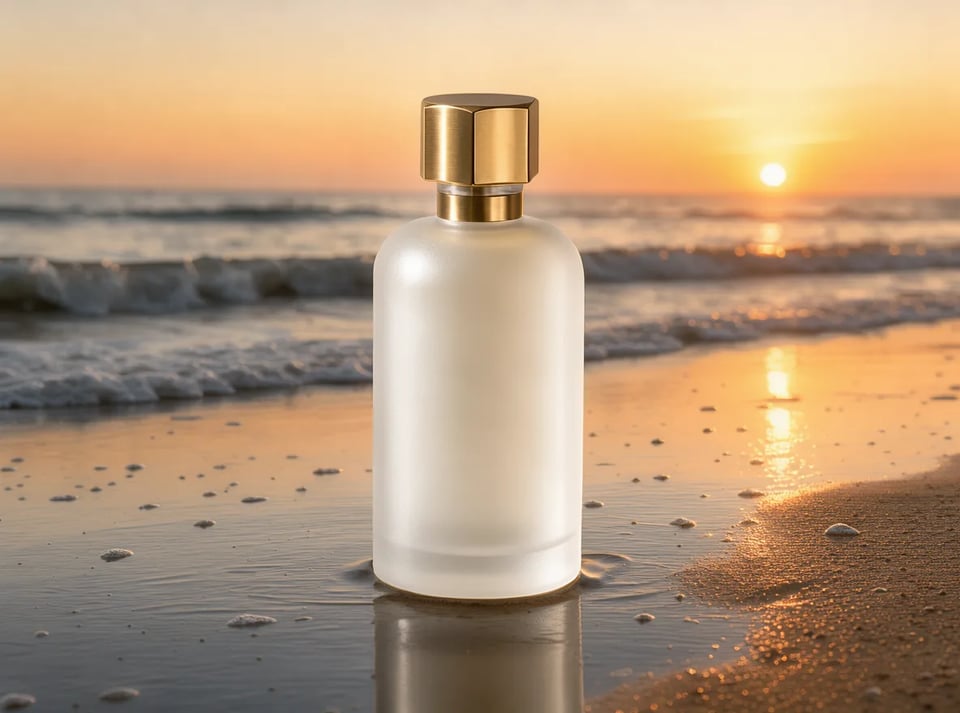
Studio-Stein → Strand bei Sonnenuntergang

Derselbe Flakon auf nassem Sand an einem Strand bei Sonnenuntergang

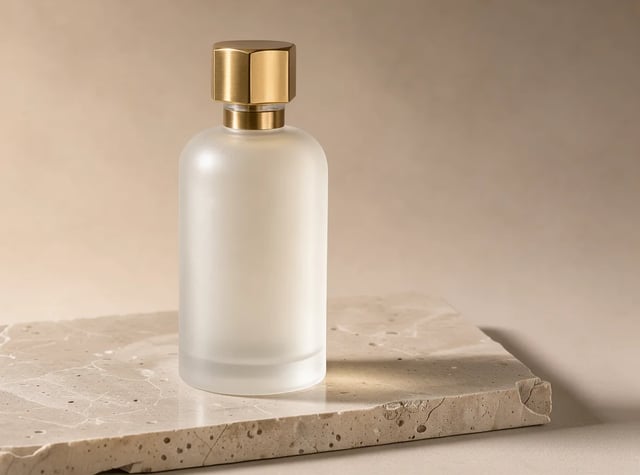
Original

Mattierter Parfumflakon mit Messingkappe auf einer Travertinplatte

Bearbeitungs-Prompt

Keep the perfume bottle exactly as it is. Replace the background and stone with wet sand on a beach at golden hour sunset, soft waves behind, warm backlight.

Text zu Bild

FLUX 3 Klein Prompts für deinen nächsten Versuch

Unsere eigenen ersten Ergebnisse in 1K. Kopier einen Prompt in den Generator – oder tausch das Motiv aus und behalte die Stil-Wörter.

Cremefarbenes Café-Poster mit PUMPKIN LATTE und Every morning from 7am, erstellt mit FLUX 3 Klein
1K · 3:4

Prompt

Café-Poster mit zwei Textzeilen

Minimal autumn cafe poster. Large bold title text "PUMPKIN LATTE" at the top, a single ceramic cup with latte art centered, scattered maple leaves, cream background, small line "Every morning from 7am" at the bottom. Clean flat graphic design.

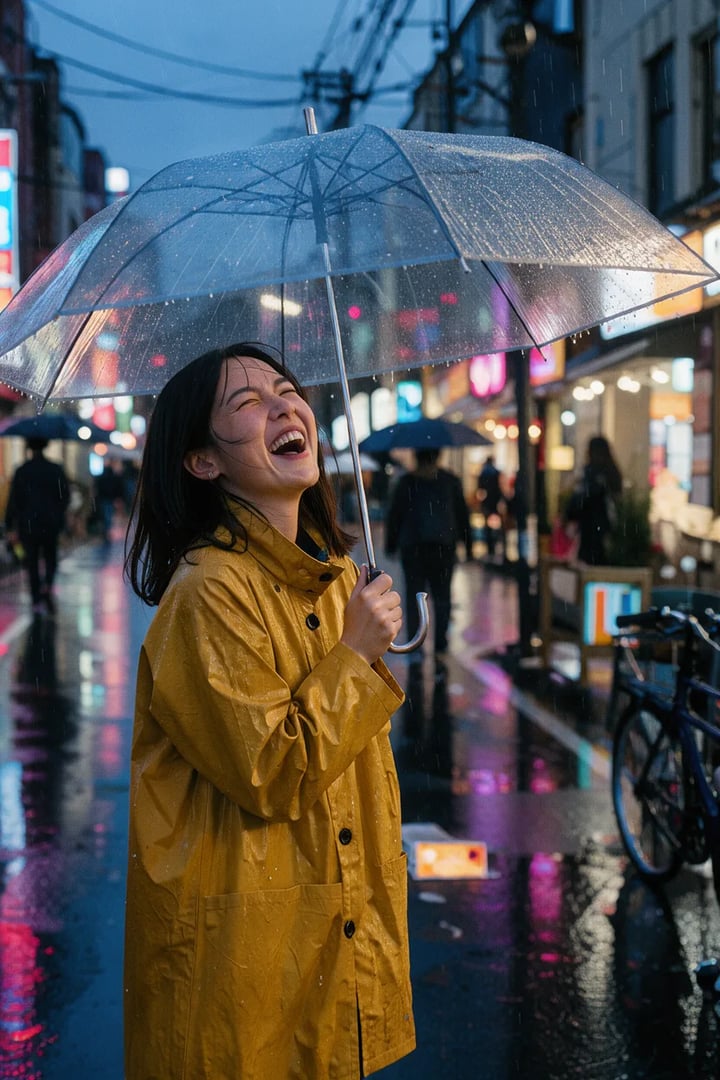
Frau im senfgelben Regenmantel lacht unter einem durchsichtigen Schirm auf einer nassen, neonbeleuchteten Straße, erstellt mit FLUX 3 Klein
1K · 2:3

Prompt

Porträt auf regennasser Straße im Film-Look

Candid street portrait of a young woman in a mustard raincoat laughing under a clear umbrella on a rainy Tokyo side street at dusk, neon reflections on wet asphalt, shallow depth of field, 35mm film look.

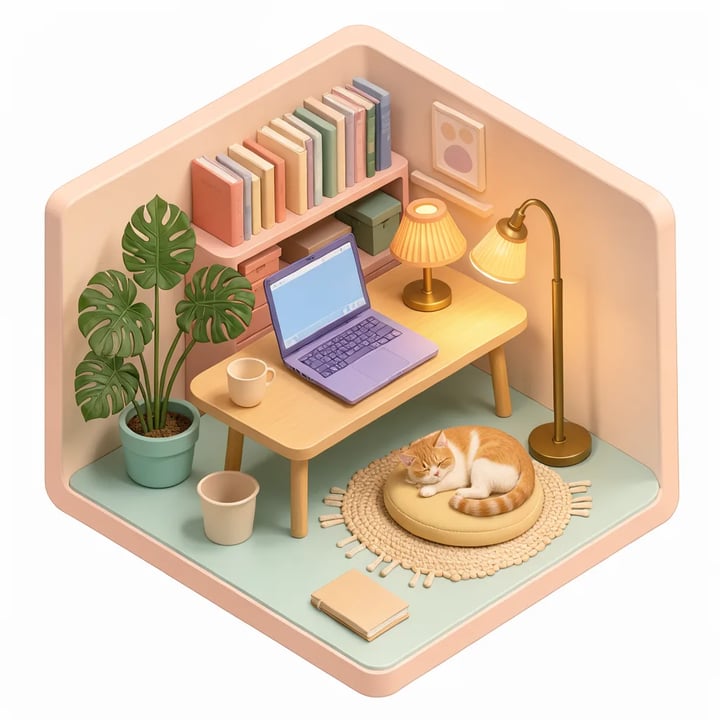
Isometrisches Homeoffice in Pastell mit Laptop, Pflanzen und schlafender Katze, erstellt mit FLUX 3 Klein
1K · 1:1

Prompt

Isometrischer 3D-Raum

Cozy isometric 3D illustration of a tiny home office: desk with laptop, potted monstera, bookshelf, cat sleeping on a cushion, warm lamp light, pastel colors, soft shadows, clean render.

Warum FLUX 3 Klein

Schnelle Bilder, präzise Bearbeitungen, bereit für Video

Vier Gründe, deine Bilder mit FLUX 3 Klein zu beginnen.

Schnell und günstig genug für viele Versionen

Jedes unserer Testbilder kam in unter einer halben Minute zurück, und ein Bild in 1K kostet 2 Credits. Das ändert, wie du arbeitest: Briefing schreiben, ansehen, eine Formulierung anpassen und neu starten, bis das Bild sitzt – dann den Favoriten in 2K oder 4K neu rendern.

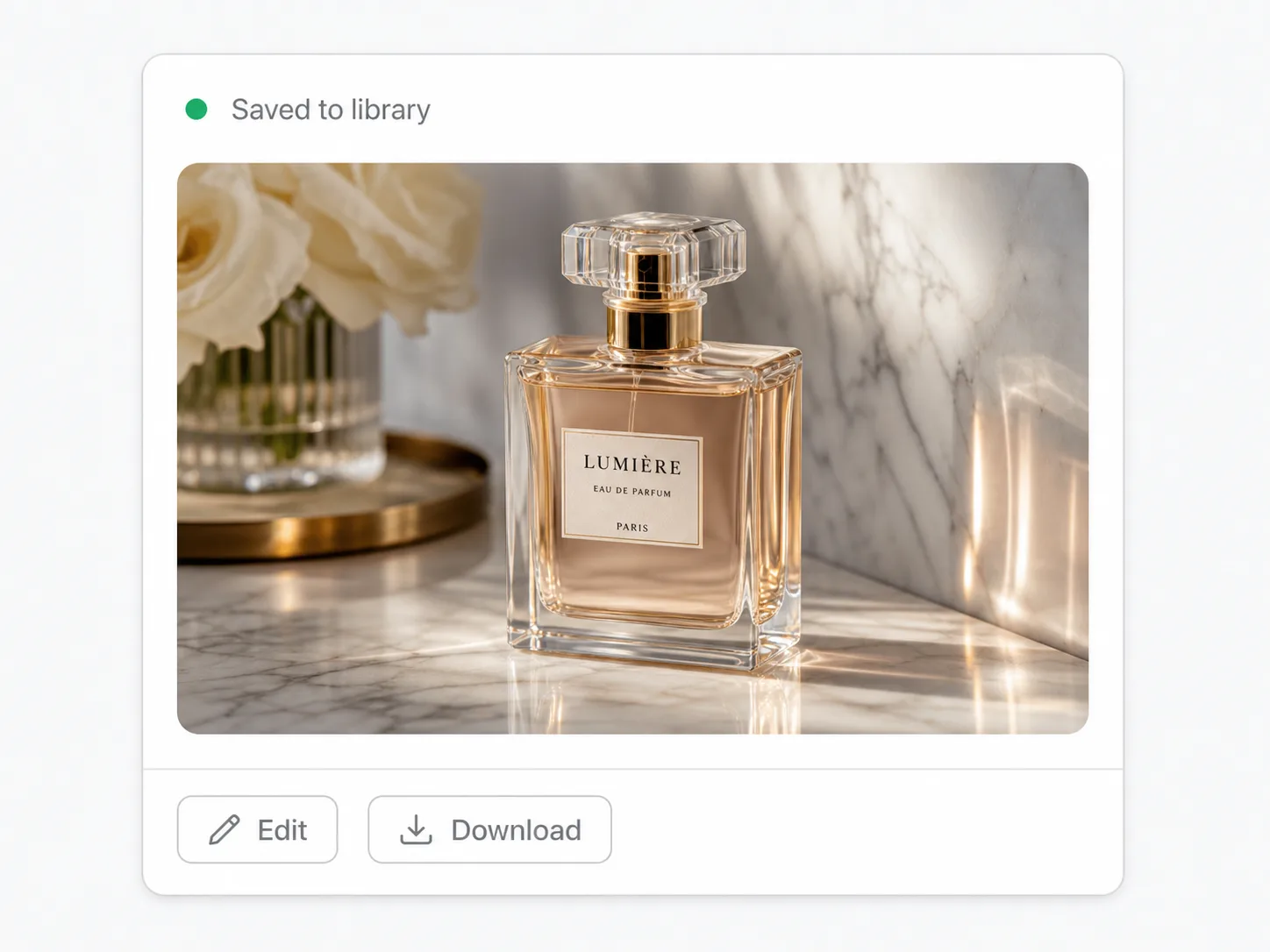
Produktfoto eines mattierten Parfumflakons auf Travertin, erstellt mit FLUX 3 Klein

Bis zu 10 Fotos in einem Bild kombinieren

Lade eine Person, ein Produkt und einen Ort hoch und beschreib, wie alles zusammenpasst. Nenn sie „das erste Bild“, „das zweite Bild“ und so weiter, in der Reihenfolge des Uploads. Sag, was sich nicht ändern darf – ein Gesicht, ein Etikett, eine Pose –, und FLUX 3 Klein baut die Szene darum herum.

Ergebnis von FLUX 3 Klein aus einem Modelfoto und dem Foto eines Parfumflakons

Text auf Postern – und neuer Text auf alten

Setz den gewünschten Text in Anführungszeichen, und FLUX 3 Klein baut ihn ins Design ein – oder schreibt den Titel auf einem hochgeladenen Poster neu, während das Layout bleibt. Lies wie bei jedem Bildmodell jedes Wort, bevor du veröffentlichst.

Café-Poster, von FLUX 3 Klein auf MAPLE MOCHA umgeschrieben

Ein Startframe für FLUX 3 Video

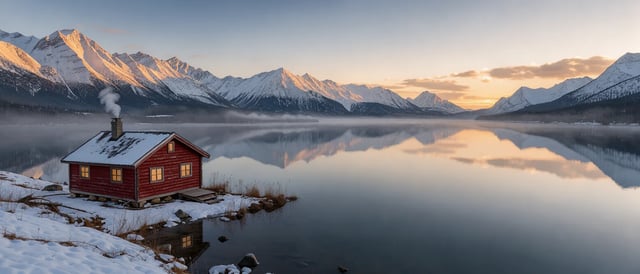
Wähl das Format des geplanten Clips – 9:16 für Reels, 16:9 oder 21:9 für Breitbild – und erstell hier das erste Bild. Öffne dann FLUX 3 oder FLUX 3 Max, wechsle zu Bild zu Video und lade es hoch, damit der Clip genau dort beginnt, wo du willst.

21:9-Bild eines Bergsees von FLUX 3 Klein, bereit als Startframe für ein Video

Die FLUX 3 Familie hier

FLUX 3 Klein vs. FLUX 3 und FLUX 3 Max

Eine Familie, drei Aufgaben. Erst das Bild, dann die Bewegung.

Diese Seite FLUX 3 Klein Bilder & Fotobearbeitung FLUX 3 Klein nutzen
Video FLUX 3 Max Schnelles Video mit Ton FLUX 3 Max öffnen
Video-Hub FLUX 3 Storyboards & Videobearbeitung FLUX 3 öffnen
Erzeugt Standbilder Clips mit 5–20 Sekunden und Ton Clips mit 5–20 Sekunden und Ton
Startet mit Text oder 1–10 Fotos zum Bearbeiten oder Kombinieren Text oder einem Foto plus optionalem Endframe Text oder 1–10 Fotos als Storyboard
Größe 1K, 2K oder 4K 720p oder 1080p 720p oder 1080p
Credits 2 bei 1K, 3 bei 2K, 6 bei 4K pro Bild 35 pro Sekunde bei 720p, 60 bei 1080p 35 pro Sekunde bei 720p, 60 bei 1080p
So funktioniert's

FLUX 3 Klein in vier Schritten nutzen

Vom Briefing oder Foto zum fertigen Bild.

  1. 1
    Briefing schreiben

    Briefing schreiben

    Beschreib Motiv, Umgebung, Licht und Stil. Wörter, die im Bild stehen müssen, setzt du in Anführungszeichen.

  2. 2
    Fotos zum Bearbeiten hochladen (optional)

    Fotos zum Bearbeiten hochladen (optional)

    Füg 1 bis 10 Fotos hinzu und sag, was sich ändern und was bleiben soll. Sprich sie in der Reihenfolge des Uploads an.

  3. 3
    Größe und Format wählen

    Größe und Format wählen

    Starte mit 1K; für 2K und 4K brauchst du ein Credit-Paket oder ein Abo. Beim Bearbeiten übernimmt Auto das Format des ersten Fotos.

  4. 4
    Generieren und verfeinern

    Generieren und verfeinern

    Prüf das Ergebnis in deiner Bibliothek, passe eine Formulierung an und starte neu. Behalte den Take, der dir gefällt, oder schick ihn weiter ins Video.

Für wen

Wo FLUX 3 Klein passt

Aufgaben, bei denen du schnell viele gute Bilder brauchst.

  • Produktfotos in neuer Umgebung

    Fotografier oder generier einen sauberen Packshot und stell dasselbe Produkt mit je einem Satz an den Strand, auf den Schreibtisch oder auf die Küchenarbeitsplatte.

  • Katalog- und Outfit-Varianten

    Behalte Model und Pose und ändere jeweils ein Kleidungsstück oder eine Farbe, um eine ganze Kollektion zu zeigen.

  • Poster und Social-Media-Grafiken

    Setz Titel und kurze Zeile genau im Format, das jeder Kanal braucht, und tausch die Wörter für den nächsten Post aus.

  • Startframes für Video

    Leg den Look des ersten Frames fest, bevor du Video-Credits für FLUX 3 oder FLUX 3 Max ausgibst.

  • Moodboards und Konzepte

    Probier ein Dutzend Richtungen zum Preis eines Premium-Bilds und behalte die, die es wert sind, in 4K fertiggestellt zu werden.

  • Banner und Wallpaper

    Erstell ultrabreite 21:9-Header für Websites und hohe Handy-Hintergründe in 9:16 oder 9:21.

Fragen zu FLUX 3 Klein

Was ist FLUX 3 Klein?

FLUX 3 Klein ist das kompakte Bildmodell der FLUX 3 Familie von Black Forest Labs. Es erstellt Bilder aus Text und bearbeitet oder kombiniert hochgeladene Fotos in 1K, 2K oder 4K – gebaut für Tempo und niedrige Kosten.

Was kostet FLUX 3 Klein, und kann ich es kostenlos testen?

Ein Bild kostet 2 Credits bei 1K, 3 bei 2K und 6 bei 4K. Neue Konten bekommen 25 Gratis-Credits – genug für ein Dutzend Versuche in 1K. Für 2K, 4K und mehr als ein Bild pro Durchlauf brauchst du ein Credit-Paket oder ein Abo.

Wie viele Fotos kann FLUX 3 Klein auf einmal bearbeiten?

Bis zu 10. Lade sie in der Reihenfolge hoch, in der du sie ansprechen willst – „das erste Bild“, „das zweite Bild“ – und beschreib, wie sie verändert oder kombiniert werden sollen.

Welche Größen und Formate kann ich wählen?

1K, 2K oder 4K, in neun Formaten: 1:1, 4:3, 3:4, 3:2, 2:3, 16:9, 9:16, 21:9 und 9:21. Beim Bearbeiten übernimmt Auto das Format des ersten Fotos.

Kann FLUX 3 Klein Text in ein Bild setzen?

Ja. Schreib die Wörter in Anführungszeichen, genau so, wie sie erscheinen sollen, und sag, wo sie hinkommen. Es kann auch den Text auf einem hochgeladenen Poster ersetzen. Prüf die Schreibweise, bevor du das Bild verwendest.

Kann ich aus einem FLUX 3 Klein Bild ein Video machen?

Ja. Speichere das Bild, öffne FLUX 3 oder FLUX 3 Max, wechsle zu Bild zu Video und lade es als ersten Frame hoch. Erstell das Bild gleich im Format, das der Clip haben soll.

Kann ich Prompts in meiner eigenen Sprache schreiben?

Ja. Prompts funktionieren in jeder Sprache und mit bis zu 5.000 Zeichen. Für Text im Bild setzt du die genauen Wörter in Anführungszeichen.

Bereit für FLUX 3 Klein?

Schreib ein Briefing oder lade ein Foto hoch – in unter einer halben Minute hast du dein Bild.