

FLUX 3

FLUX 3 Max Video Generator Text or Image to Video with Sound

FLUX 3 Max text to video and image to video: 5–20 s clips with dialogue and sound.

FLUX 3 Max is a faster, post-trained version of Black Forest Labs' FLUX 3 video model. Write a scene for FLUX 3 Max text to video, or upload a start frame, with an optional end frame, for FLUX 3 Max image to video. Pick 5–20 seconds at 720p or 1080p; dialogue, ambience and music come with the picture. In our tests a 5-second 720p clip came back in about 15 seconds. Sign in and run it on credits.

  • About 15 s per 5 s 720p clip, our tests
  • Dialogue, ambience and music built in
  • Text, or a photo plus optional end frame
  • FLUX 3 Max: 5–20 s, 720p or 1080p
0
FLUX 3 Max image to video official sample: slow push-in on a bull rider resting on a bucket by the fence
Prompt

Continuous single shot, very slow push-in toward the rider's boots. The young bull rider sits still on the bucket, head bowed, breathing slowly. He lifts his head slightly and looks down at his worn leather boots. A faint, tired smile. Warm golden backlight, gentle lens flare, 1980s commercial look, 35mm film grain. Rider (quietly): "Lost my hat. Lost my pride. Kept my boots."

FLUX 3 Max examples

  • FLUX 3 Max

    Official sample

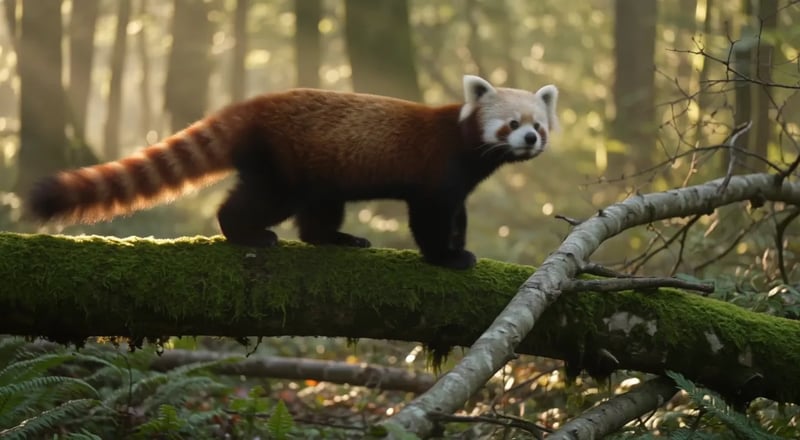
    A red panda walks along a mossy log in a sunlit forest, pausing to sniff the air before climbing over a fallen branch. Soft morning light filters through the canopy. Ambient birdsong and rustling leaves.

  • FLUX 3 Max

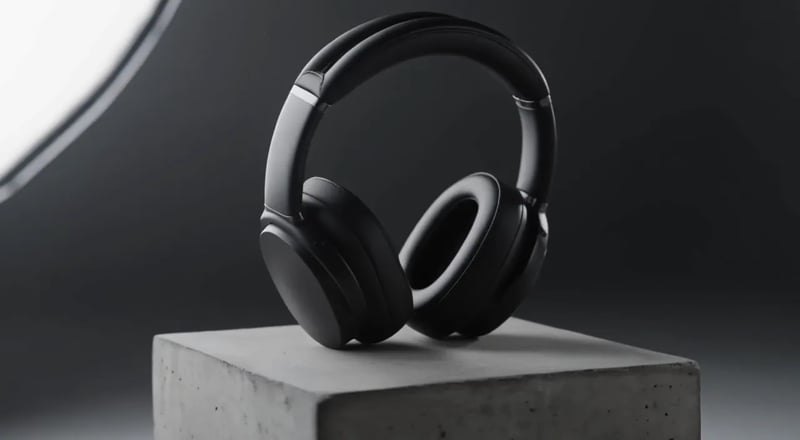
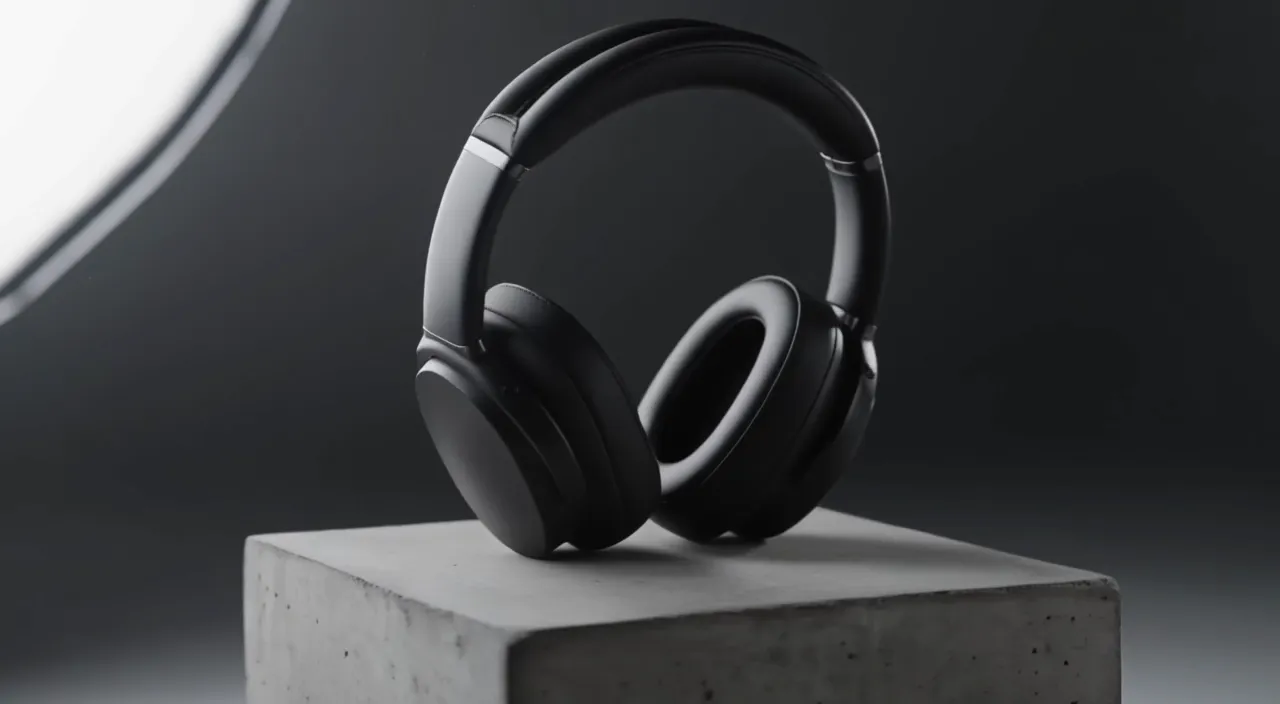
    Slow 180-degree orbit around a pair of matte black over-ear headphones resting on a concrete pedestal in a minimal studio. Soft key light from the left, a thin rim light traces the ear cups, dust drifts through the beam. The orbit ends front-on as the light warms slightly. A low ambient synth hum.

Quick facts

FLUX 3 Max at a glance

What to check before your first run, as of November 2026.

What it is
Black Forest Labs' FLUX 3, post-trained for speed and closer prompts
Inputs
Text, or a start frame plus an optional end frame
No reference images or keyframes beyond those two frames.
Clip length
5–20 seconds
Resolution
720p or 1080p
Aspect ratio
Auto, 21:9, 2:1, 16:9, 4:3, 1:1, 3:4 or 9:16
Image to video follows your photo's shape.
Sound
Dialogue, narration, ambience and music
On by default; can be switched off.
Wait on this site
About 14–15 seconds for a 5-second 720p clip
Two clips with sound, submit to finished file, October 2026.
Access
Sign in and run it on credits
Commercial use
Yes, on paid credits
Clips made only with free credits are for personal use.
Weights
Hosted only, no downloadable weights (November 2026)
Capabilities

What FLUX 3 Max can do

Two ways to start a clip, sound in the same pass, and your choice of length, size and shape.

FLUX 3 Max text to video

FLUX 3 Max text to video needs only words. Describe one continuous shot: who is in it, what happens in order, the camera, the light and the sound. The official red panda sample comes from three sentences: a walk, a sniff of the air, a climb, morning light and birdsong. Add a camera sentence to choose the framing yourself.

Write a scene
FLUX 3 Max text to video official sample: a red panda walks along a mossy log in a sunlit forest

FLUX 3 Max image to video, with an optional last frame

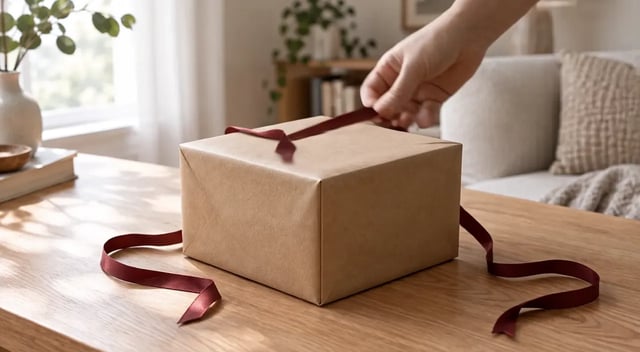
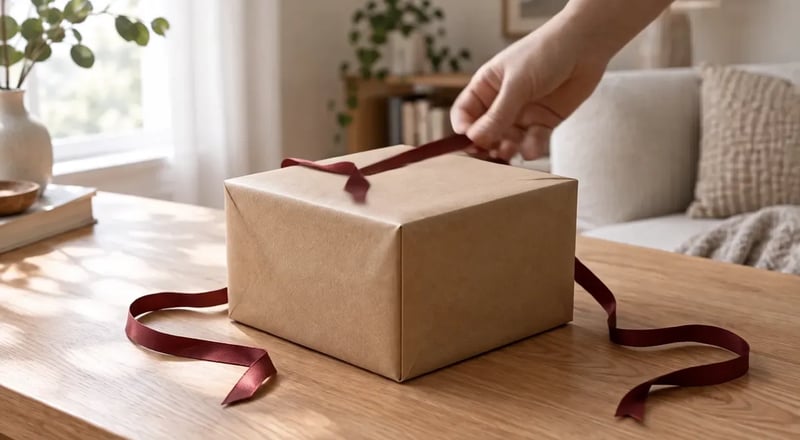
FLUX 3 Max image to video opens the clip on your photo. Add a last frame when the shot must finish on something specific, like an opened product or a logo card. In our test the start frame was a gift box tied with a red ribbon and the last frame the open box: FLUX 3 Max had a hand untie the ribbon and lift the lid, ending on the last frame.

Animate a photo
FLUX 3 Max image to video with a start and end frame: a hand unties a red ribbon and lifts the lid of a gift box to reveal a wristwatch

Dialogue and sound in the same prompt

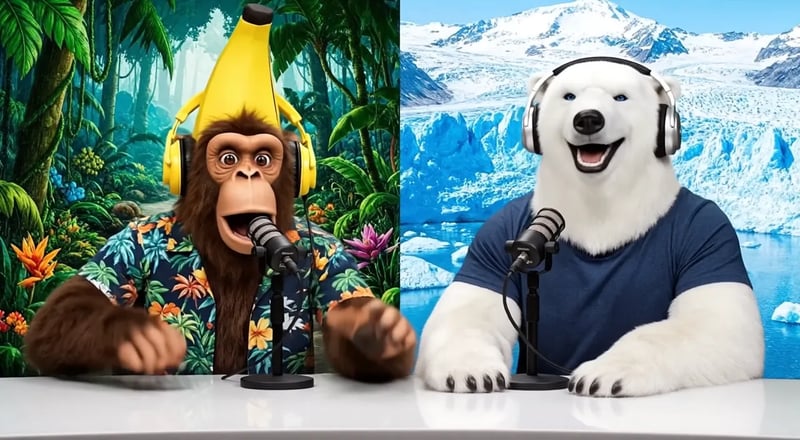
FLUX 3 Max audio comes out of the same pass as the picture: lines, narration, room tone, effects and music. Name the speaker, put the line in quotes, then list three or four sounds. The official talk-show sample gives the monkey host one line, "Welcome back to the show!", plus birdsong on the left and wind on the right. Sound can be switched off.

Write a talking scene
FLUX 3 Max official sample: a monkey and a polar bear host a talk show at a desk

5 to 20 seconds, 720p or 1080p, any shape

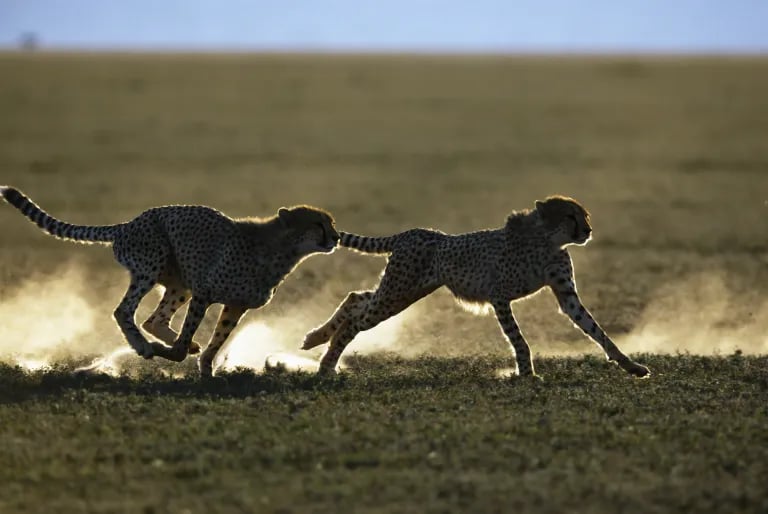
Clips run 5 to 20 seconds at 720p or 1080p, from vertical 9:16 for Reels and Shorts to widescreen 21:9. Credits are charged per second, so draft at 5 seconds and 720p, then go longer or sharper once the prompt works. This official sample tracks two sprinting cheetahs at ground level.

Pick a format
FLUX 3 Max official sample: a low camera tracks two cheetahs sprinting through short grass in late sun
Same-prompt test

How fast is FLUX 3 Max? Same prompt, timed on this site

The launch announcement put FLUX 3 Max at about 12 seconds of model time for a 10-second 720p clip. These are our real waits on this site, from pressing generate to the finished file. Same prompt and settings on both models, one run each: 5 seconds, 720p, 16:9, sound on. Your waits will vary.

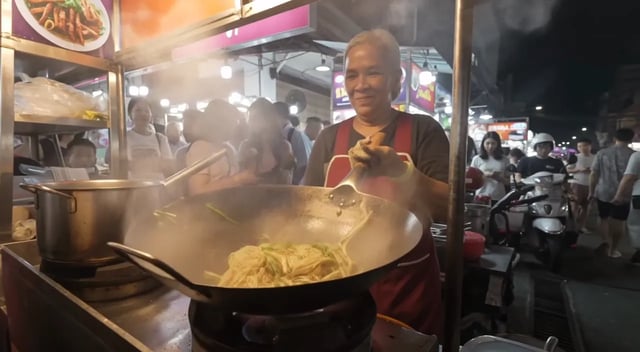
Night market cook: 15 seconds on FLUX 3 Max

FLUX 3 Max puts the stall under red neon in heavy steam and has the cook fling a big tangle of noodles, more than the toss the prompt asks for. It ends on her grin.

Prompt (same for both models)

Night market food stall, handheld medium shot. An older street cook tosses noodles in a flaming wok; the flames flare up and light her face. She looks up at a customer just off camera and says with a grin: "Two minutes. Best noodles on this street." Sizzling wok, crowd chatter, a distant scooter horn. Warm neon signs and drifting steam.
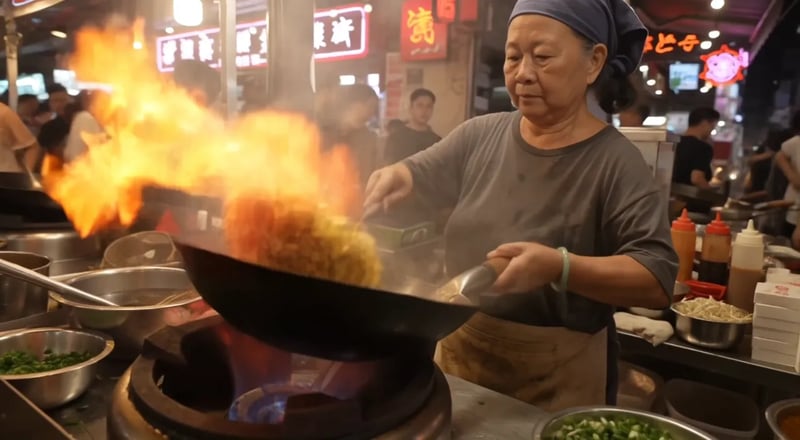
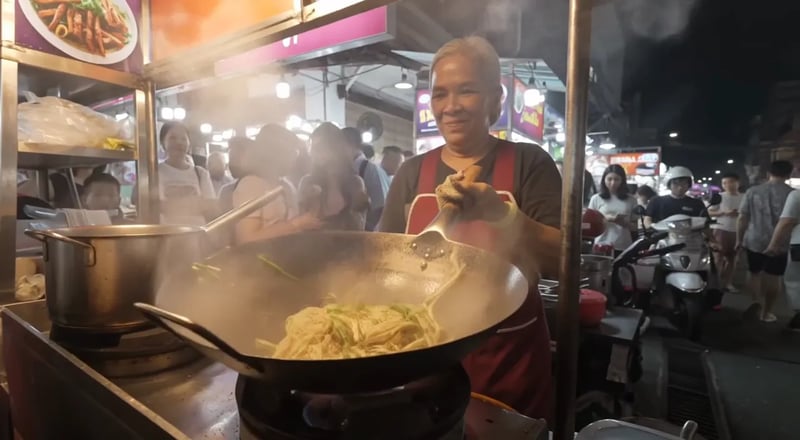
FLUX 3 Max: an older street cook under red neon signs flings a tangle of noodles up from a steaming wok, then grins

Night market cook: 77 seconds on FLUX 3

FLUX 3 moves the stall to an open-air street and shows the crowd and scooters the prompt only asks to hear. Her toss is gentler and closer to the wording, and she also ends on a grin. The clip took about five times as long.

Prompt

Same prompt and settings as the FLUX 3 Max take.

FLUX 3: a street cook tosses noodles in a wok on an open-air night street, with a crowd and scooters behind her

Headphones orbit: 14 seconds on FLUX 3 Max

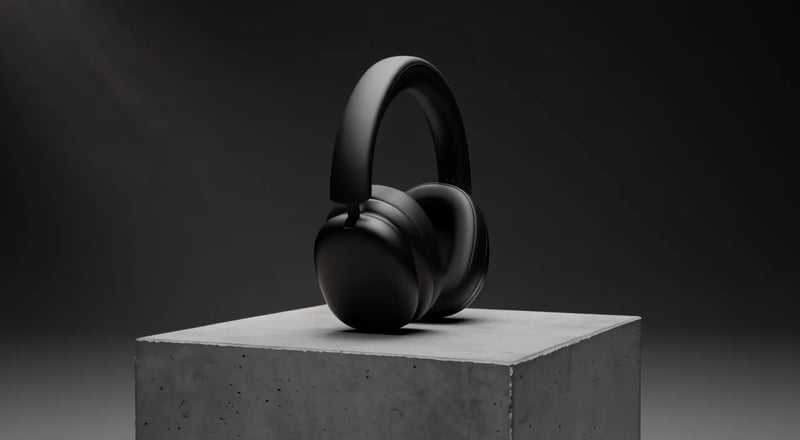
The prompt asks for a 180-degree orbit ending front-on and light that warms. FLUX 3 Max warms the light from cool grey to amber, but the camera covers only part of the arc.

Prompt (same for both models)

Slow 180-degree orbit around a pair of matte black over-ear headphones resting on a concrete pedestal in a minimal studio. Soft key light from the left, a thin rim light traces the ear cups, dust drifts through the beam. The orbit ends front-on as the light warms slightly. A low ambient synth hum.

FLUX 3 Max: matte black over-ear headphones on a concrete pedestal as the studio light warms from cool grey to amber

Headphones orbit: 62 seconds on FLUX 3

FLUX 3 completes the half circle, but the light stays cool. Each model got a different half of the prompt right, so when a take misses one instruction, try the other model before you rewrite.

Prompt

Same prompt and settings as the FLUX 3 Max take.

FLUX 3: matte black over-ear headphones on a concrete pedestal, seen in side profile and then front-on under cool neutral light
Pick a FLUX 3

FLUX 3 Max vs FLUX 3 and FLUX 3 Turbo

All three run on this site. They differ in what they start from, sound, wait and credits per second.

This pageFLUX 3 MaxFast takes with soundGenerateFLUX 3Up to ten photos, and video editTry FLUX 3FLUX 3 TurboLow-cost silent draftsTry FLUX 3 Turbo
Start fromText, or a start frame plus an optional end frameText, or 1–10 photos (start, start and end, or a storyboard)Text, or a start frame plus an optional end frame
SoundYes, on by defaultYes, on by defaultNo
Clip length5–20 seconds5–20 seconds2–15 seconds
Resolution720p or 1080p720p or 1080p480P, 768P or 1080P
Our wait for a 5-second clip14–15 seconds at 720p, sound on62–77 seconds at 720p, sound onNot timed
Edit a clip you already haveNoYes, with FLUX 3 Video EditNo
Credits per second35 at 720p, 60 at 1080p35 at 720p, 60 at 1080p5 at 480P, 8 at 768P, 20 at 1080P
Uses

Where FLUX 3 Max fits

Jobs where a quick turnaround and sound in the same take save real time.

  • 01

    Ad spots with a voiceover

    Scene, product and narrator's line in one prompt; rewrite the line and run again in seconds.

  • 02

    Vertical hooks, several versions

    Try three or four 9:16 openings for one Reel or Short in a sitting, changing one line or camera move each time.

  • 03

    Product reveals that land on the pack

    Closed pack as the start frame, open box or logo card as the end frame, so every take lands on the shot you need.

  • 04

    Previz before a shoot

    Turn script beats into moving shots with sound, so the team agrees on framing and pacing before a shoot.

How it works

How to use FLUX 3 Max

  1. 1

    Write the shot and the sound

    Describe one take in order: who and where, what happens, the camera, the light. Add any line in quotes after the speaker's name, and a few sounds.

  2. 2

    Pick a start and the clip settings

    Keep text, or switch to image to video and upload a start frame, plus an end frame if needed. Choose length, resolution and shape; the cost shows first.

  3. 3

    Generate and check it against the prompt

    Play it with sound and check the action, camera, light and line. Change one thing per run, then raise length or resolution for the final.

Pricing for FLUX 3

Black Friday50% OFF
Ends Nov 30--days--hrs--min--sec
  • Up to 1,000 images or 41 videos

    • All models, including Premium
  • Up to 2,500 images or 104 videos

    • All models, including Premium
  • Up to 7,500 images or 312 videos

    • All models, including Premium

· No card required

Failed runs are refunded automatically · Cancel anytime

FAQ

FLUX 3 Max questions

Try FLUX 3 Max on your next shot

Make your first FLUX 3 Max video: write one shot or add a photo, start at 5 seconds and 720p, and check the take against your prompt.