
TLDR
- Open FLUX 3 video (or stills on image).
- Sign up (email or social)—no card required to start.
- Confirm your credit balance (new accounts receive signup credits).
- Paste a shot-list prompt (or a single still brief), keep defaults unless you know you need more.
- Generate → full-screen review → save the keeper.
- If balance is short for a full video run, use free credits on still drafts first, or top up / check-in / plan—do not expect no-signup free or unlimited free clips.
Key Takeaways
- Try here: video generator (text-to-video + image-to-video) and image generator.
- Free start: signup credits, no card to begin—not guest free daily, not free unlimited.
- Spend path: signup credits apply to the default FLUX 3 video and image surfaces on this product.
- Credit reality: stills at default resolution usually fit free balance more easily; default video clips cost more credits per run than a single still—always check the on-screen credit estimate before you hit Generate.
- Public model story (optional): Black Forest Labs launched FLUX 3 on July 23, 2026 as a multimodal image + video + audio system, with public video highlights including multi-shot and native audio (BFL blog; BFL models; launch thread).
Before you start (60-second checklist)
| Check | Why |
|---|---|
| You accept signup (account) | There is no free path without sign-in on this product |
| You will not enter a card “just because” | Free start does not require a card |
| You have a real first job (UGC beat, product spin, still hero) | Vague “epic cinematic” burns free credits |
| You can list 2–3 shots or one still brief | Clear prompts waste fewer retries |
| You will read the credit cost on the submit bar | Video and image spend differently |
Step 1 — Open the right generator
Video first (main free-search path): go to FLUX 3 video. Keep FLUX 3 selected. Stay on this page for both text to video and image to video.
Stills first (when free balance is tight): open FLUX 3 image, lock a hero frame, then animate later on video when you have enough credits.
If you landed on the marketing homepage, use the generator deep link with #tool-generator so you jump into the workspace, not a second marketing scroll.
Step 2 — Create a free account (no card)
- Click Sign in / Sign up.
- Use email or a supported social login.
- Confirm you can see a credit balance—new accounts receive signup credits for first default-tier tries on this site’s free trial path.
- Do not add a payment method unless you already know you need more volume, higher throughput, or commercial licensing under site terms.
Honest free wording (read once):
| Yes | No |
|---|---|
| Free start with signup credits | Free unlimited generations |
| No card required to begin | Free video with no sign up |
| Credits can be spent on default FLUX 3 video/image | Every video length/resolution is covered by signup alone |
| Daily check-in may add more free credits over time (when enabled in product) | Guest / fingerprint free daily runs (that path is off here) |
Free credit amounts and plan bundles can change; treat the in-product balance and estimate as source of truth on the day you generate.
Step 3 — Choose text-to-video or image-to-video
| Mode | Use when |
|---|---|
| Text to video | You are inventing the scene and camera from words alone |
| Image to video | You already have a packaging still, face frame, or locked hero still |
Public FLUX 3 materials emphasize multi-shot sequences and audio that rides with the picture (BFL blog; early multi-shot notes from Justine Moore / a16z; duration/audio reporting in The Decoder). On this product you still write clear shots—not vibe-only adjectives—and judge the take yourself.
Step 4 — Write a first free-tier prompt
Use this skeleton:
- Format — aspect (9:16 / 16:9), length intent, genre.
- Shot list — Shot 1 / Shot 2 / Shot 3 with camera + action.
- Continuity — same person, wardrobe, location.
- Audio — ambience / SFX / dialogue energy / silence.
- Negatives — no watermark, no random logos, no on-screen UI junk.
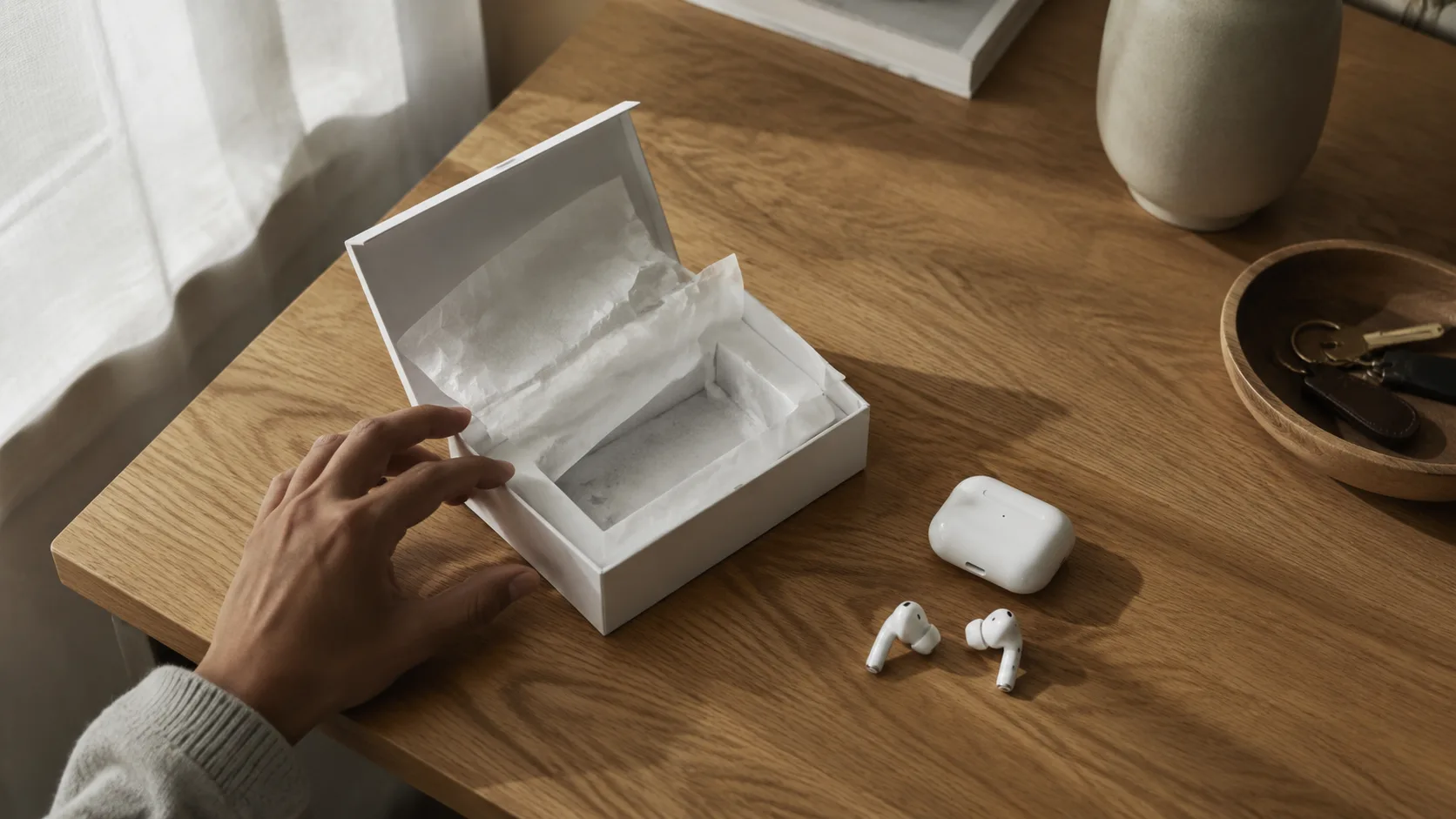
Prompt 1 — free first win (vertical product unbox)
Vertical 9:16 product ad, about 8–10 seconds, clean desk daylight.
Shot 1 wide: sealed matte white product box on oak table, soft window light.
Shot 2 medium: hands open the box lid smoothly, tissue paper folds clearly.
Shot 3 close-up: wireless earbuds lift toward camera, subtle specular highlight.
Same hands, same box color, continuous desk environment.
Soft paper rustle and light whoosh SFX, no music bed, no on-screen text, no watermark.
Prompt 2 — simple multi-shot outdoor walk (horizontal)
Horizontal short clip, about 8 seconds, golden hour park path.
Shot 1 wide: person in a navy jacket walks toward camera on a tree-lined path.
Shot 2 medium: same person checks a phone, soft smile, natural pace.
Shot 3 close-up: jacket fabric and sunlight rim light, calm background bokeh.
Same wardrobe and hairstyle across shots, continuous golden-hour light.
Light wind and distant birds ambience, no music bed, no text, no watermark.
Prompt 3 — still-first hero (image generator)
Product hero still, 1:1, matte white wireless earbuds on oak desk, soft window light from the left, clean negative space upper third, photoreal, sharp edges, no text, no logo, no watermark.
Run Prompt 3 on image when you want a free-balance-friendly draft, then animate the keeper with image-to-video on video once credits allow.
Before you hit Generate
- Shot list is numbered (or still brief is one clear subject)
- Aspect matches the channel (Reels vs YouTube)
- Continuity line is present
- Audio intent is one short line
- You checked the credit estimate vs balance

Prompt-first motion language · showcase keyframe on FLUX 3
Step 5 — Run, judge, refine
- Generate on the default FLUX 3 video (or image) surface.
- Open the result full screen once.
- Pass only if faces, hands, cut logic, and crop center hold.
- Fail → shorten the shot list, freeze wardrobe, or start from a still.
- Save keepers to your library so you can re-edit later.
- Optional craft next: multi-shot depth guide — FLUX 3 Video: Multi-Shot, ~20s Clips & Native Audio.
Failure boundaries (save free credits)
| Failure mode | Fix |
|---|---|
| One vibe sentence, no shots | Number Shot 1 / 2 / 3 with camera + action |
| Burning retries on soft faces | Lock a still on image, then i2v |
| Ignoring the credit bar | Stop if estimate > balance; free stills first |
| Expecting no-signup free | Sign up—guest free daily is not the path here |
| Assuming unlimited free video | Free = signup trial, then plan/check-in/top-up |
| Random “8K cinematic masterpiece” | Concrete props, light, and action beat adjectives |
How free credits fit the job (product facts only)
On flux3.video:
- New accounts receive signup credits for first tries.
- Those credits can be spent on the default FLUX 3 video and FLUX 3 image generators (not gated behind a paid-only wall for standard access).
- No card is required to start.
- Anonymous free daily generation is not available—you must sign in.
- Default video runs cost more credits per clip than default stills. Signup balance may cover still drafts more readily than a full default video clip—always trust the in-product estimate.
- Paid plans add volume; commercial rights follow site plan/legal terms—do not assume free-trial exports cover client ads.
We intentionally do not publish third-party $/clip shopping tables. Your decision is whether the free trial path proves the job before you subscribe.
3-step evaluate loop (copy this)
- Open FLUX 3 video.
- Sign up, confirm signup credits, paste Prompt 1 (or your real brief).
- Judge full screen once. Pass → save. Fail → shorten shots or start from a still on image.
What We Know vs. What We Don't
| We know | We don't claim |
|---|---|
| Browser free start on flux3.video via signup credits, no card to begin | Unlimited free generations forever |
| Default generators: video + image | Free video with no sign up |
| BFL public launch July 23, 2026, multimodal video/image/audio framing (BFL; @bfl_ai) | That every host UI matches every research demo bit-for-bit |
| Public video narrative includes multi-shot + native audio cues (The Decoder; venturetwins) | Guaranteed first-take perfection for hands, faces, and lip sync |
| Free credit amounts can change; balance is in-product | That signup alone always funds every resolution and length |
FAQ
Is FLUX 3 really free?
Yes for a free start: create an account on flux3.video, use signup credits, and open FLUX 3 video without adding a card. Free is not unlimited and not no-signup. Amounts and limits can change.
Do I need a credit card?
No to start. Add payment only when you outgrow the trial, need more credits for video volume, or need commercial licensing under site terms.
Can I generate free with no sign up?
No on this product. Sign up is required; anonymous free daily generation is not the supported free path.
Where is the free generator URL?
Primary: /video/#tool-generator. Secondary stills: /image/#tool-generator.
Do signup credits cover a full FLUX 3 video?
Signup credits can be spent on the default FLUX 3 video surface. Whether balance covers one full default video run depends on the current credit estimate vs your balance (video usually costs more than a still). Check the submit bar; use free credits on image drafts first if video estimate exceeds balance.
Text-to-video or image-to-video first?
Start text-to-video for a new idea. Use image-to-video when you already have a packaging still or a locked hero frame.
How is free trial different from BFL early access?
Black Forest Labs runs official FLUX 3 early access and playground paths. flux3.video is an independent product workspace with its own signup credits, library, and plans—this guide is only about the free start here.
Can I use free-trial outputs commercially?
Commercial rights are tied to paid plan terms and site legal pages. Do not assume free-trial exports cover client ads without checking pricing/legal.
What if I want multi-shot craft after the free start?
Follow FLUX 3 Video: Multi-Shot, ~20s Clips & Native Audio or scenario packs like UGC ad prompts and product demo prompts.
Where do I read what FLUX 3 is?
What Is FLUX 3? Multimodal Video & Image, Free Online plus the official BFL FLUX 3 post.